A productive home office starts with a dedicated, quiet space, an ergonomic desk and chair, good natural and task lighting, smart built-in storage, and a calm, distraction-free design. You do not need a huge room, you need the right setup. With so many Northern Virginia professionals now working from home full time or part time, a well designed office is no longer a luxury, it is essential for focus, comfort, and a healthy work-life balance. This guide walks Fairfax and Loudoun County homeowners through designing a home office that boosts productivity and feels peaceful, whether you are converting a spare room, a basement, or a quiet corner.
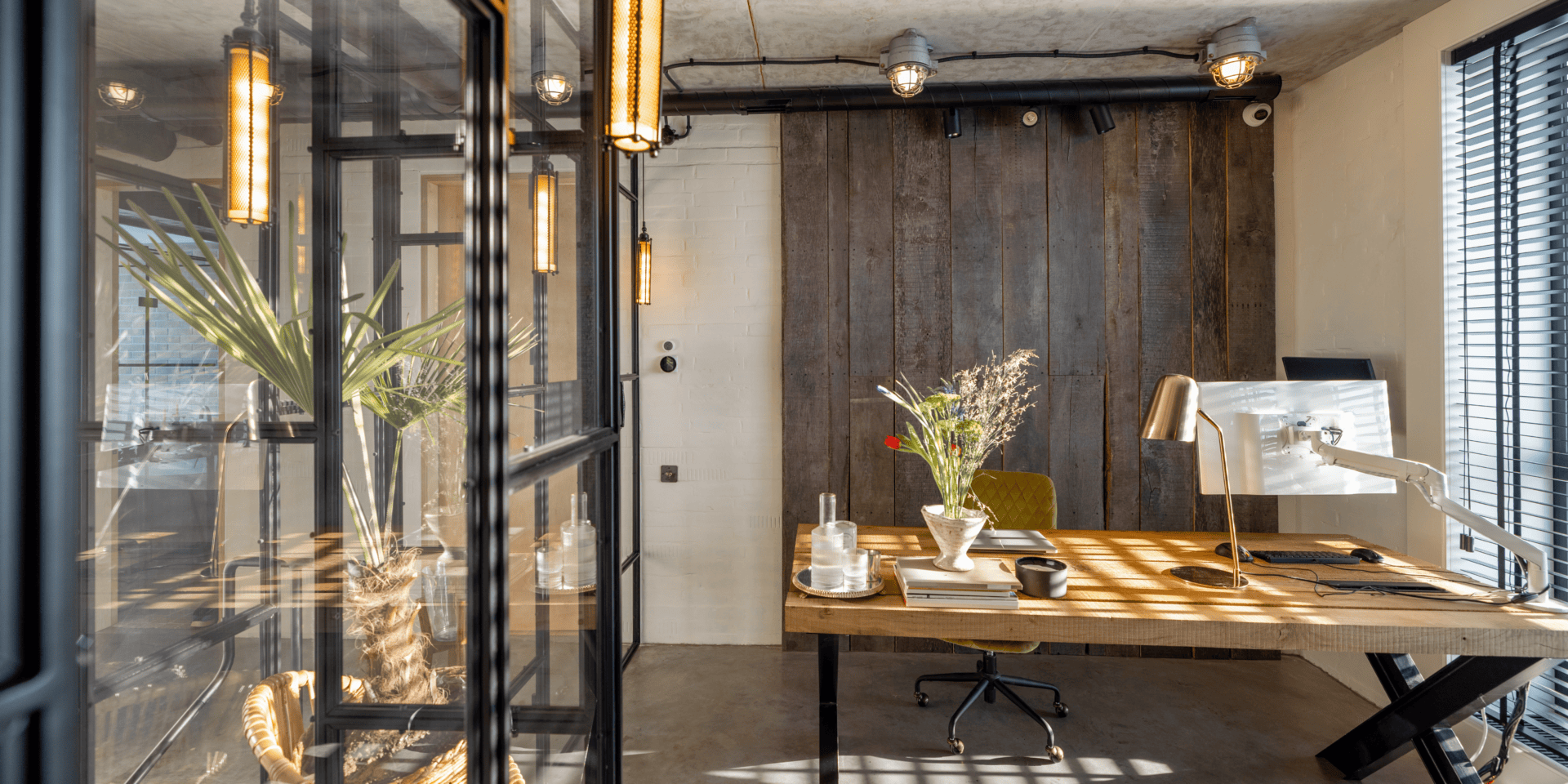
Choose the Right Location
The location of your home office matters more than its size. A quiet, separate space with a door is ideal, since it lets you focus during the day and mentally close the door on work at night. When choosing where to put your office, weigh these options:
- A spare bedroom: The most common and easiest choice, offering a door, a window, and existing power.
- A finished basement: Quiet and separate from household activity, a basement office keeps work away from living spaces. See our guide to transforming your basement into a living space.
- A bonus or attic room: Out of the way and private, perfect for deep focus work.
- A dedicated nook: If a full room is not available, a built-in desk in a quiet corner can work well with the right design.
- A home addition: For a permanent, purpose built office, an addition adds space and value. See our guide to home additions in Fairfax and Loudoun.
Wherever you choose, prioritize quiet and separation from high traffic areas of the house. The ability to close a door and reduce noise is one of the biggest factors in working from home successfully and keeping work from spilling into your personal life.
Invest in Ergonomics First
Ergonomics is the foundation of a healthy, productive home office, so spend here first. You will spend thousands of hours in this setup, and the right furniture protects your body and your focus. Prioritize these essentials:
- An ergonomic chair: The single most important purchase. Good lumbar support and adjustability prevent back and neck pain.
- The right desk height: Your elbows should rest at about 90 degrees while typing. A sit-stand desk lets you alternate positions through the day.
- Monitor at eye level: The top of your screen should be at or just below eye level to keep your neck neutral.
- Keyboard and mouse position: Keep them close so your shoulders stay relaxed and your wrists straight.
- Footrest if needed: If your feet do not rest flat on the floor, a footrest improves posture and comfort.
Getting ergonomics right is not just about comfort, it directly affects how long you can work without fatigue or pain, and it protects your health over the years. It is the best and most important investment you can make in your home office.
Get the Lighting Right
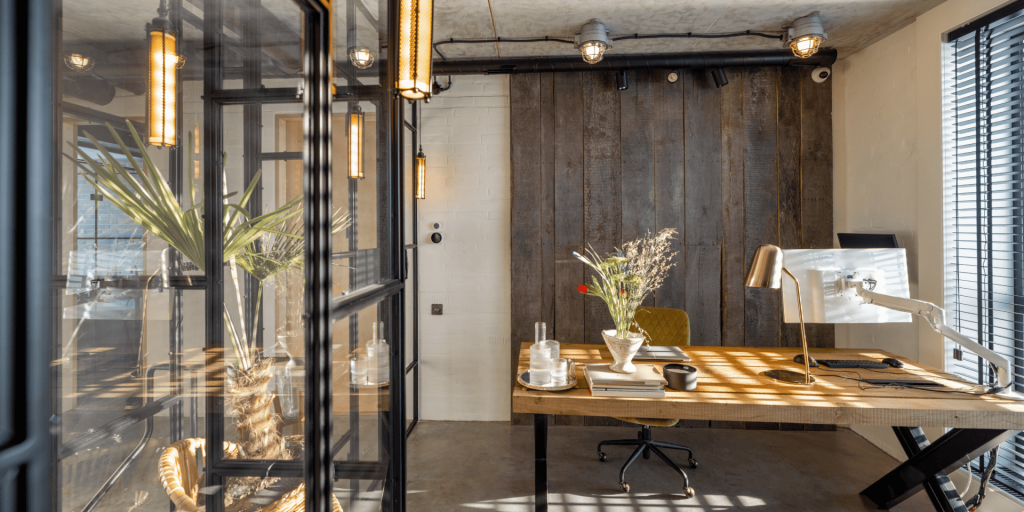
Good lighting reduces eye strain and keeps your energy up, so plan it carefully with layers. Natural light is best, so position your desk near a window, but place it to the side rather than directly in front to avoid glare on your screen. Add a quality task light or desk lamp for focused work, especially in the evening. Include ambient lighting, such as overhead fixtures or a floor lamp, so the room is evenly lit and comfortable. Choose warm to neutral white bulbs in the 3000K to 4000K range, which keep you alert without feeling harsh. If your office is in a basement or a room with little natural light, lean more heavily on layered artificial lighting to keep the space bright and energizing. Good lighting is one of the most underrated factors in a productive and comfortable workspace.
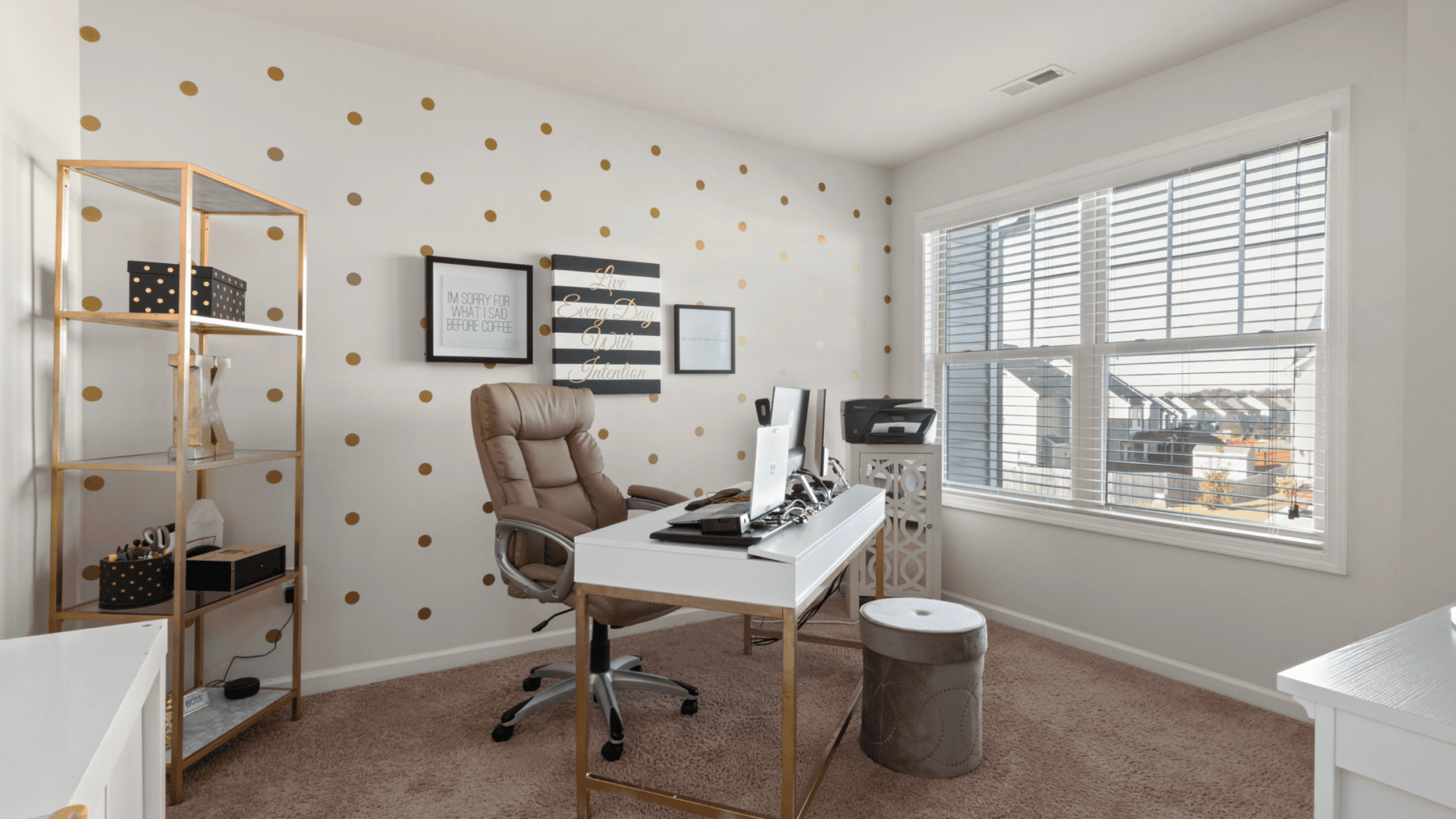
Plan Smart Storage and Organization
A cluttered desk leads to a cluttered mind, so build in enough storage to keep surfaces clear. The goal is to give every item a home so your workspace stays calm and focused. Useful storage solutions include:
- Built-in shelving and cabinets: Custom built-ins use vertical space and keep books, files, and supplies organized and out of sight.
- A filing system: Whether a drawer or a cabinet, a place for paperwork keeps your desk clear.
- Cable management: Hide and route cords to keep the desk tidy and prevent a tangle of wires.
- Desk drawers and organizers: Keep daily supplies handy but off the surface.
- Floating shelves: Add storage and display space without taking up floor area.
Custom built-ins are especially worthwhile in a home office, since they maximize storage in a small footprint and give the room a polished, finished look. Keeping the space organized and clutter free is one of the keys to staying focused throughout the entire workday.
Design for Focus and Calm
A peaceful office helps you concentrate, so design the space to reduce distraction and stress. The look and feel of the room directly affect your mood and output. Use these design principles to create a calm, focused environment:
- Calming colors: Soft blues, greens, and warm neutrals are soothing and help you focus, while bold colors can feel stimulating.
- Minimal clutter: A clean, uncluttered space keeps your mind clear. Store what you do not need out of sight.
- Bring in nature: A plant or two improves air quality and adds a calming, biophilic touch.
- Personal touches: A few pieces of art or photos make the space yours without creating distraction.
- Position your desk thoughtfully: Facing a window or into the room often feels better than facing a blank wall.
The balance to strike is a space that feels both energizing and calm, professional enough for video calls yet comfortable enough to happily spend a full working day in, day after day.
Manage Sound and Distractions
Noise is one of the biggest challenges of working from home, so plan for sound control. A quiet office makes video calls clearer and helps you focus. If noise is an issue, add insulation in the walls during a remodel to block sound between rooms. A solid core door blocks far more noise than a hollow one. Soft materials like rugs, curtains, and upholstered furniture absorb sound and reduce echo, which also makes the room sound better on calls. Position your office away from noisy areas like the kitchen, laundry, or a busy street facing wall when you can. For unavoidable noise, a white noise machine or noise canceling headphones help you stay focused. Controlling sound is especially important if you take frequent calls or need deep concentration.
Set Up for Video Calls
Video calls are part of daily work life, so design your office to look and sound professional on camera. Place your desk so a window or a good light source is in front of you, not behind, since backlighting turns you into a silhouette. Think about what appears behind you, a clean wall, a tidy bookshelf, or a few plants reads as professional, while a cluttered or messy background does not. Good lighting on your face, a decent webcam at eye level, and a quiet room with minimal echo make every call clearer. These small adjustments make a real difference in how you come across to colleagues and clients, and they are easy to plan into the room layout from the start.
Home Office Design Trends for 2026
Home office design has matured well beyond the makeshift desks of a few years ago, and the 2026 trends focus on comfort, wellness, and permanence. Biophilic design leads the way, bringing in plants, natural materials, and as much daylight as possible to reduce stress. Warm, earthy color palettes are replacing stark white and gray for a calmer feel. Built-in cabinetry and custom millwork are increasingly popular as homeowners treat the office as a permanent room rather than a temporary fix. Dual purpose spaces are also trending, with offices that double as guest rooms or reading nooks. Finally, dedicated lighting design and improved acoustics reflect how seriously people now take video calls and deep focus work. The overall direction is clear: the home office is now a real, well designed room worth investing in.
Designing a Multi-Purpose Office
Not everyone has a whole room to dedicate to work, so a multi-purpose office is a smart, space saving solution. The trick is to design a space that works hard in both roles without feeling cramped or cluttered. A few popular combinations work especially well:
- Office and guest room: A daybed or a wall bed lets the room serve as a guest room when needed, while a built-in desk keeps the work area intact.
- Office and reading nook: A comfortable chair and a wall of shelves create a quiet retreat that doubles as a workspace.
- Office in a closet (cloffice): Converting a closet into a compact office tucks a full workspace into an unused space and closes away at the end of the day.
- Shared family workspace: A long built-in counter gives two people room to work or study side by side.
The key to a successful multi-purpose room is built-in storage and a clear separation of functions, so the space transitions smoothly between work and its other use.
Tech and Connectivity Essentials
A home office is only as good as its technology, so plan your tech setup into the room from the start. Start with reliable, fast internet, and if your office is far from the router, plan for a wired connection or a mesh network node for stable video calls. Make sure you have enough power, since a single outlet rarely covers a computer, monitors, charger, and lamp. Adding outlets, including USB outlets, during a remodel keeps cords manageable. Plan where cables will run and use built-in cable management to keep the desk clean. Consider a backup power source for important calls, and position your equipment so cooling and ventilation are not blocked. Getting the tech infrastructure right during construction is far easier than retrofitting it later, and it prevents the daily frustration of dropped calls and tangled cords.
Tips to Stay Productive Working From Home
A well designed office sets you up to succeed, but a few habits help you make the most of it. Keep regular working hours and a clear start and end to your day so work does not bleed into your evening. Use the door, when you have one, to signal that you are focused or finished. Take real breaks away from the desk to recharge, and step outside for natural light when you can. Keep the space tidy at the end of each day so you start fresh. Separating work from the rest of your home, both physically and mentally, is one of the biggest benefits of a dedicated office, and it is what protects your work-life balance over the long run.
How Much Does a Home Office Cost?
A home office can cost anywhere from a few hundred dollars for a basic setup in an existing room to tens of thousands for a custom built office or an addition. Converting a spare bedroom with a good desk, chair, lighting, and some shelving might run $1,000 to $5,000. Adding custom built-ins, upgraded lighting, and finishes pushes the cost higher. Converting a basement into an office is a larger project, and a dedicated addition is the most involved option but adds the most space and value. The right budget depends on whether you are simply furnishing a room or building a permanent, purpose designed workspace. For larger projects, our guides to basement conversions and home additions cover the costs in detail.
Flooring and Comfort Underfoot
Flooring affects both the comfort and the acoustics of a home office, so it is worth a little thought. Hard surfaces like hardwood and luxury vinyl plank are easy to clean and let an office chair roll freely, but they can echo on calls. Adding a large area rug softens the sound, adds warmth, and defines the workspace, which is an easy win in any office. Carpet is quieter and cozier but makes rolling a chair harder, so a chair mat helps. In a basement office, choose a moisture resistant floor like luxury vinyl plank and add a rug for warmth underfoot. The right combination keeps the room comfortable for long hours while sounding clean and professional on video calls.
Frequently Asked Questions
What makes a home office productive? A dedicated, quiet space with an ergonomic chair and desk, good natural and task lighting, smart storage to reduce clutter, and a calm color palette. Separation from household noise and distractions is one of the biggest factors in staying focused.
Where is the best place for a home office? A spare bedroom is the easiest, but a finished basement, bonus room, or a dedicated addition all work well. The key is a quiet location with a door, ideally away from high traffic areas.
What is the most important home office purchase? An ergonomic chair. You spend thousands of hours seated, so a supportive, adjustable chair protects your back and lets you work comfortably for longer.
How do I make a home office in a small space? Use vertical storage and a wall mounted or built-in desk to save floor space, choose light colors to make the room feel bigger, and keep the surface clear with smart organization. Even a quiet corner can become a functional office with the right design.
Is a basement a good place for a home office? Yes. A basement is quiet and separate from household activity, which is ideal for focus. The keys are good layered lighting to make up for limited daylight, proper moisture control, and comfortable heating and cooling.
Does a home office add value to my home? A well designed, dedicated office or a flexible bonus room appeals strongly to today’s buyers, many of whom work from home. Built-in offices and finished basement or addition spaces add both function and resale appeal.
What color is best for a home office? Soft, calming tones work best: muted blues and greens promote focus, while warm neutrals feel comfortable for long hours. Avoid very bold or bright colors, which can feel stimulating and distracting over a full workday.
Related guides: what a zen den is and how to design one, bedroom accent wall ideas, closet conversion ideas and multi-functional rooms. Explore our interior design services or read our remodel case studies, and garage conversion costs and rules.
Conclusion: Build a Workspace That Works for You
A great home office balances productivity and peace. Start with a quiet location, invest in ergonomics, get the lighting right, plan smart storage, and design a calm space that helps you focus. Whether you are converting a spare room, finishing a basement, or building an addition, a well designed home office pays you back every working day in comfort, focus, and a clearer line between work and home. If you are planning a home office, basement conversion, or addition in Fairfax or Loudoun County, EA Home Design can design a workspace around how you work and show it to you in a full 3D rendering before any construction begins. Explore our 2026 design trends for Northern Virginia for more inspiration.